The talking timer for iPhone

Just say it. Ping sets the timer.

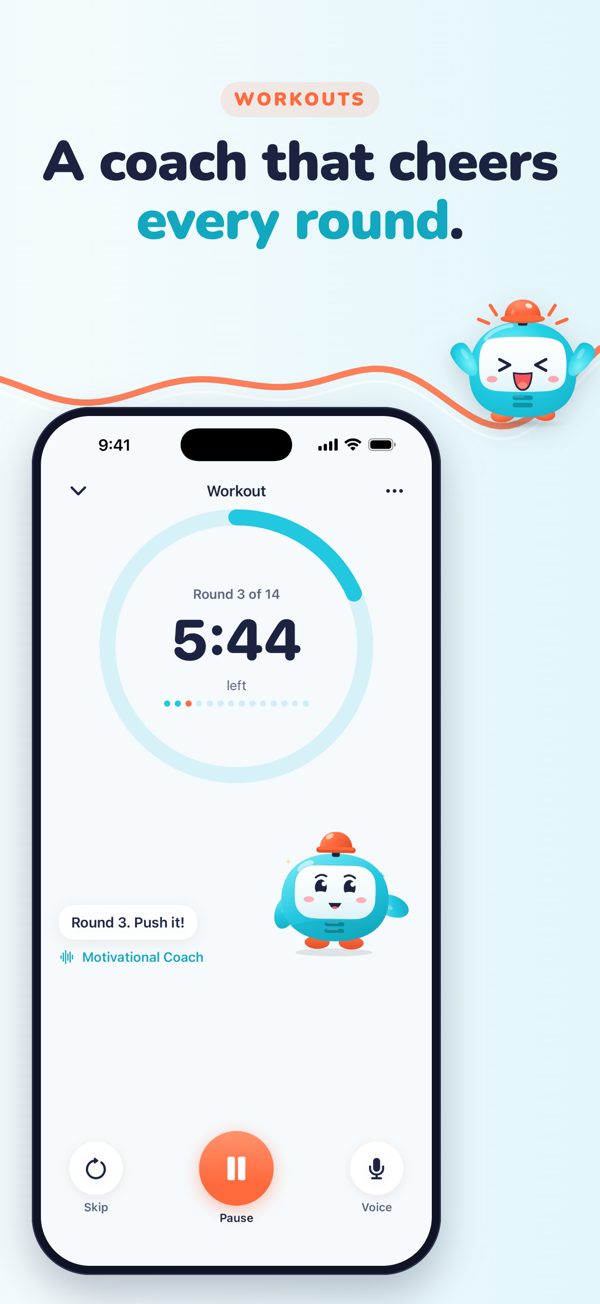
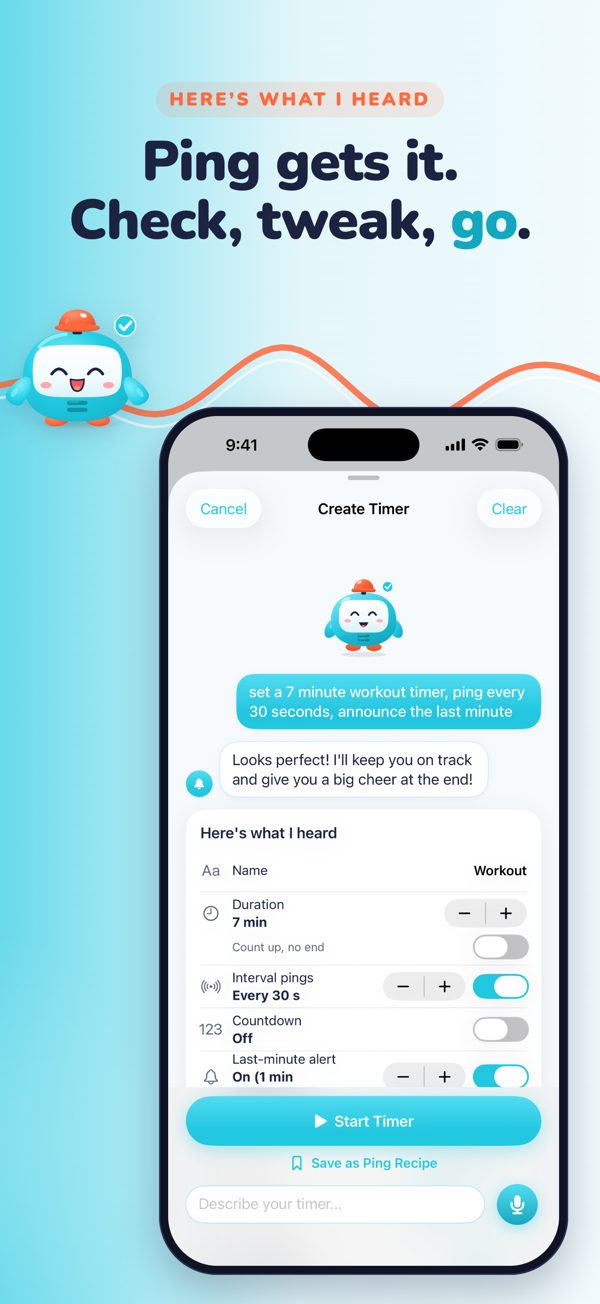
“Hey Ping, 7-minute workout, ping every 30 seconds.” Ping sets it up, cheers you through every round and celebrates the finish with you.

Get notified Coming soon to the App Store

Be the first to know when Ping moves onto the App Store.

Three steps, no menus

Say it the way you'd say it to a friend. Ping turns it into a timer, and you can tweak anything before it starts.

1

Say it

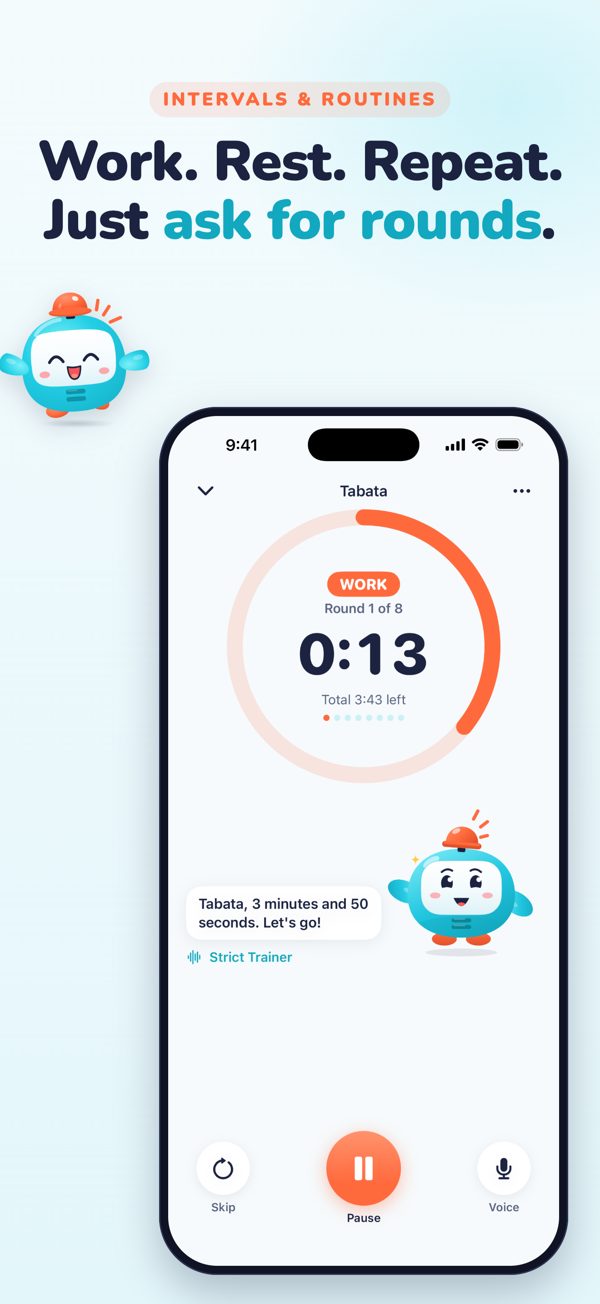
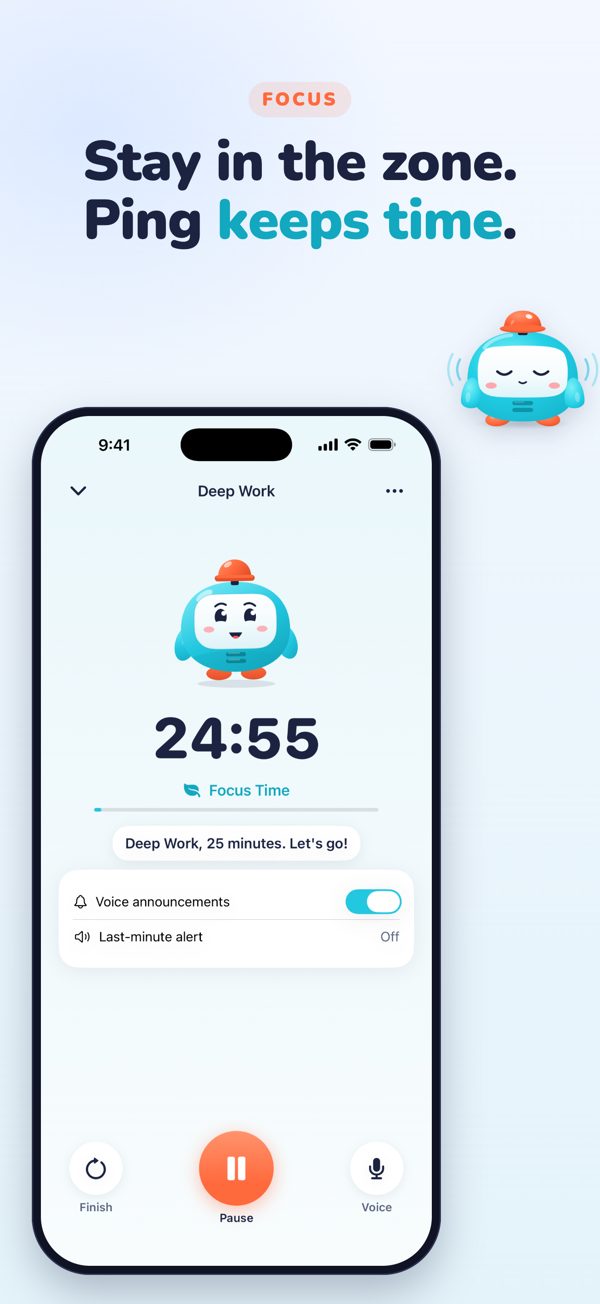
“Hey Ping, Tabata, 8 rounds”, or tap the mic: “pasta timer”, “deep work for 25 minutes”. Or just type it.

2

Check it

“Here's what I heard”: duration, rounds, pings and alerts. Tap any value to change it.

3

Go

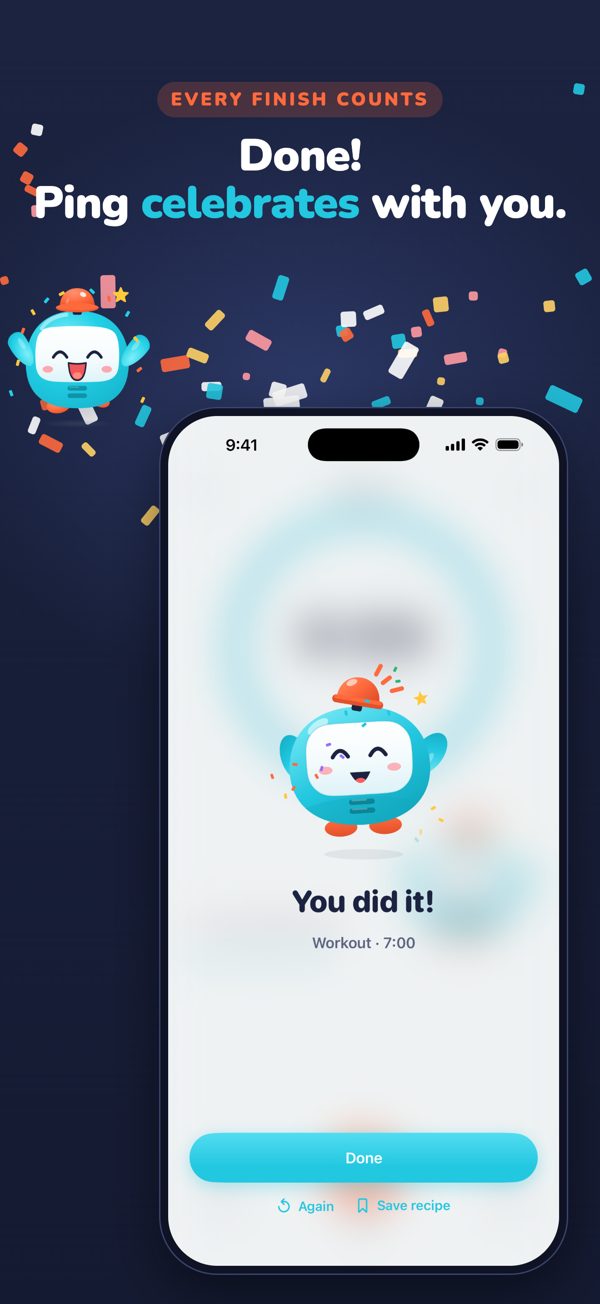
Ping keeps time, cheers every round, warns you before the end and celebrates with you.

A tiny series

Ping moves in

A little timer buddy pops out of a phone, looking for a new home. Three neighbours, three kinds of timers, one cheerful coach. Tap to watch, sound on.

Part 1/3

The New Roommate

Exam tomorrow, phone in hand. Ping offers 25 minutes of focus and keeps watch.

Part 2/3

Kitchen Chaos

Pasta, sauce and garlic bread, all at once. Ping runs three timers and saves dinner.

Part 3/3

Coach Ping

One more video? Not today. Ping coaches a 7-minute workout, then everyone meets on the rooftop.
Want Ping to move in with you?

We'll send you one email the day Hey Ping is on the App Store.
Get notified

See Ping in action

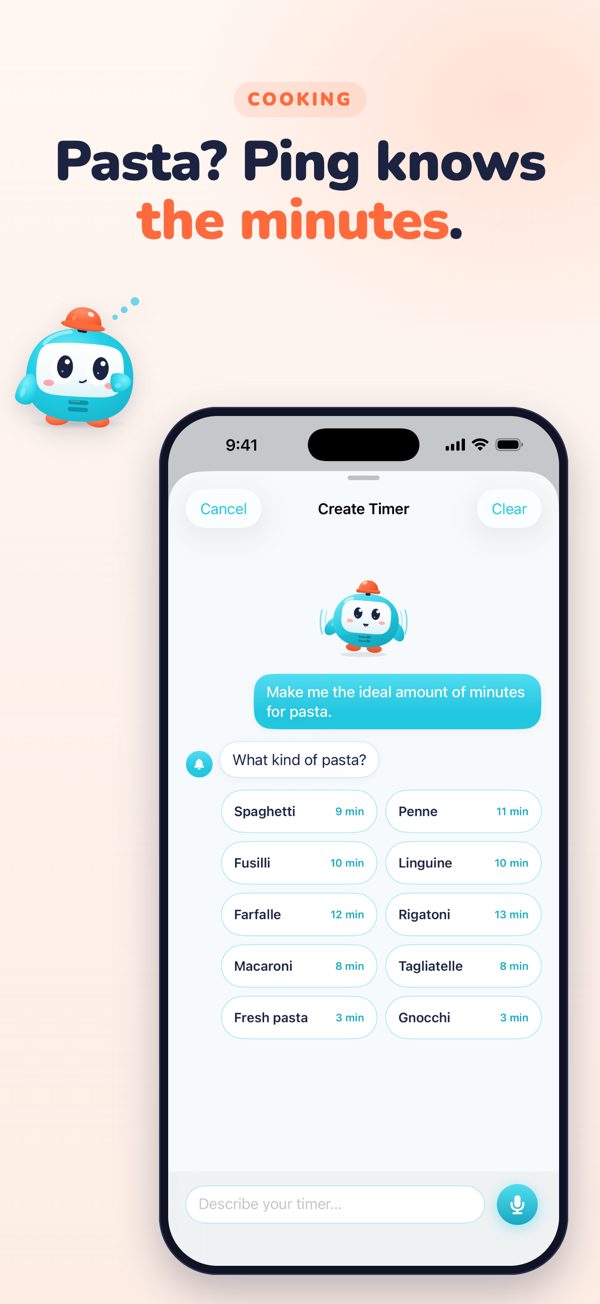
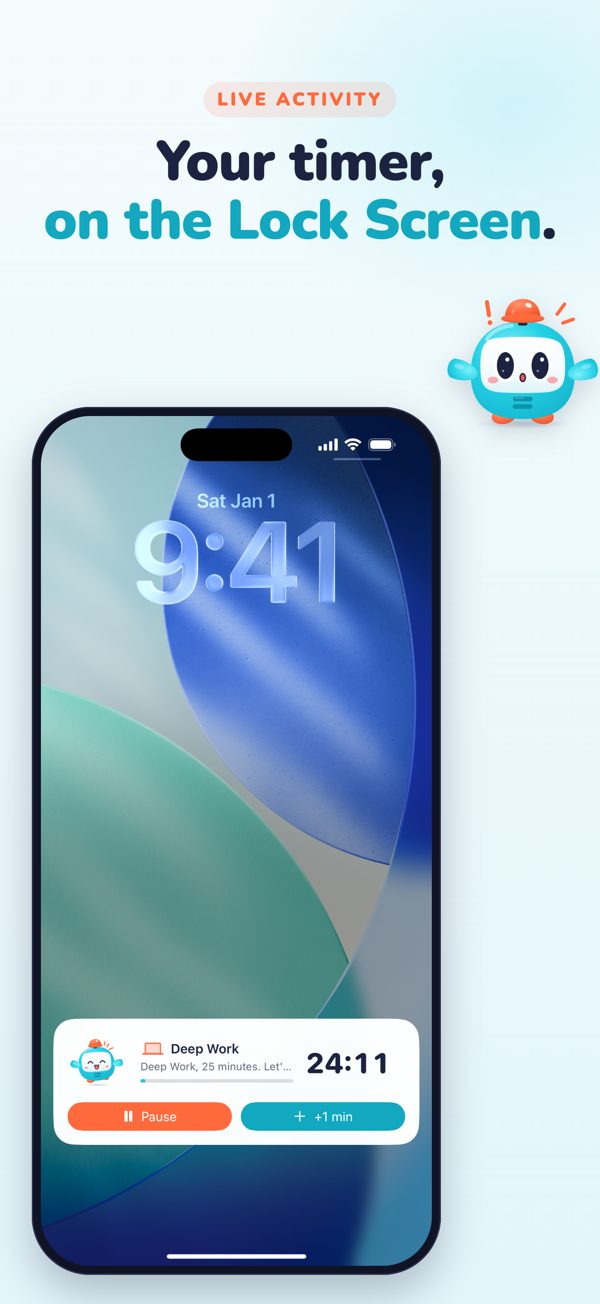
Ping confirms what it heard A coach that cheers every round Work and rest rounds Focus timer Ping knows pasta cooking times Timer on the Lock Screen Ping celebrates the finish

One timer app for your whole day

Workouts, focus, the kitchen and the little routines in between.

🏋️

Workouts and intervals

Tabata, HIIT, “8 rounds of 20 seconds work and 10 seconds rest”, warm-up and cool-down.

🎯

Focus

“Deep work for 25 minutes”, with a heads-up shortly before the end.

🍝

Cooking

Say “pasta timer” and Ping asks what kind and knows the minutes.

🪥

Everyday routines

Toothbrushing with kids, breaks, breathing, cold plunge: one tap from the library.

🗣️

Talk during the timer

“Add 2 minutes”, “pause”, “skip”, “how much time is left?”

🎭

Five personalities

Motivational Coach, Calm Guide, Friendly Assistant, Funny Companion or Strict Trainer.

🔒

Lock Screen and widgets

Live Activity, Home and Lock Screen widgets, StandBy. With notifications on, Ping's cues reach you while the phone is locked.

⚡

Siri and Shortcuts

“Hey Siri, set a timer with Hey Ping.” Save your favourites as Ping Recipes.

Your voice stays yours

Ping listens only while the app is open: when you tap the mic, or for its name while the Home screen is showing (one switch in Settings turns that off). Never in the background, never when the app is closed. Speech turns into text on your iPhone wherever iOS supports it, and the timer is built on the device. Your voice is never stored or sent to us.

No account, no ads, no tracking. In App Store terms: Data Not Collected. Privacy policy

Try two timers on us

Everything is open from the start: voice, personalities, recipes, widgets. Two timers are free. After that, Hey Ping Unlimited is a one-time in-app purchase: no subscription, no ads, no account. Family Sharing included.

Ping speaks

  • English
  • Deutsch
  • Español
  • Français
  • Italiano
  • Português

iPhone with iOS 17 or later.

Hey Ping gives back

Half of what we get helps kids

Split equally between 3 kids' ADHD & focus causes, after Apple's fee and taxes.

  • Kids mentoring kids (USA)
  • Courses for families (Ireland)
  • Families helping families (Germany)

Primazing Ideas, the small company behind Hey Ping, donates 50% of what it receives from every Hey Ping Unlimited purchase, after Apple's commission and taxes, to three organizations that help kids with ADHD and kids who struggle to get started, in equal parts.

Your purchase buys Hey Ping Unlimited; it is not a donation by you and not tax-deductible for you. You don't pay extra and you don't choose anything. We make the donation and publish a donation report every year. Hey Ping is a timer, not a treatment.

Donation report

Every transfer, once a year: date, organization, amount and the number of purchases it came from. The first report follows after Hey Ping's first quarter on sale.

The three organizations are named here as soon as each has confirmed.

Be first when Ping arrives

Hey Ping is almost ready for the App Store. Leave your email and we'll tell you the day it's live.

Coming soon to the App Store